客户端漫游可视化

通过使用 ROAMINGOF 查询查看客户端漫游状态来获得其他见解。

Marvis 提供设备的漫游历史记录和行为的可视化。它包括有关设备连接到的接入点 (AP) 和无线电频段以及连接的接收信号强度指示器 (RSSI) 值的信息。Marvis 使用 客户端事件 中的数据来提供设备路径及其在各个接入点之间的转换的可视化。当 RSSI 较低时,Marvis 会指示“漫游错误”状态,当客户端在漫游时切换到不同的无线电频段或无线 LAN (WLAN) 时,会显示警告漫游状态。

您需要使用 Marvis 查询 (ROAMINGOF) 来查看客户端漫游状态。如果要获得可视化效果的更详细视图,可以放大。使用时间线右上角的放大镜按钮,或在特定部分中单击并拖动光标以放大特定时间间隔。

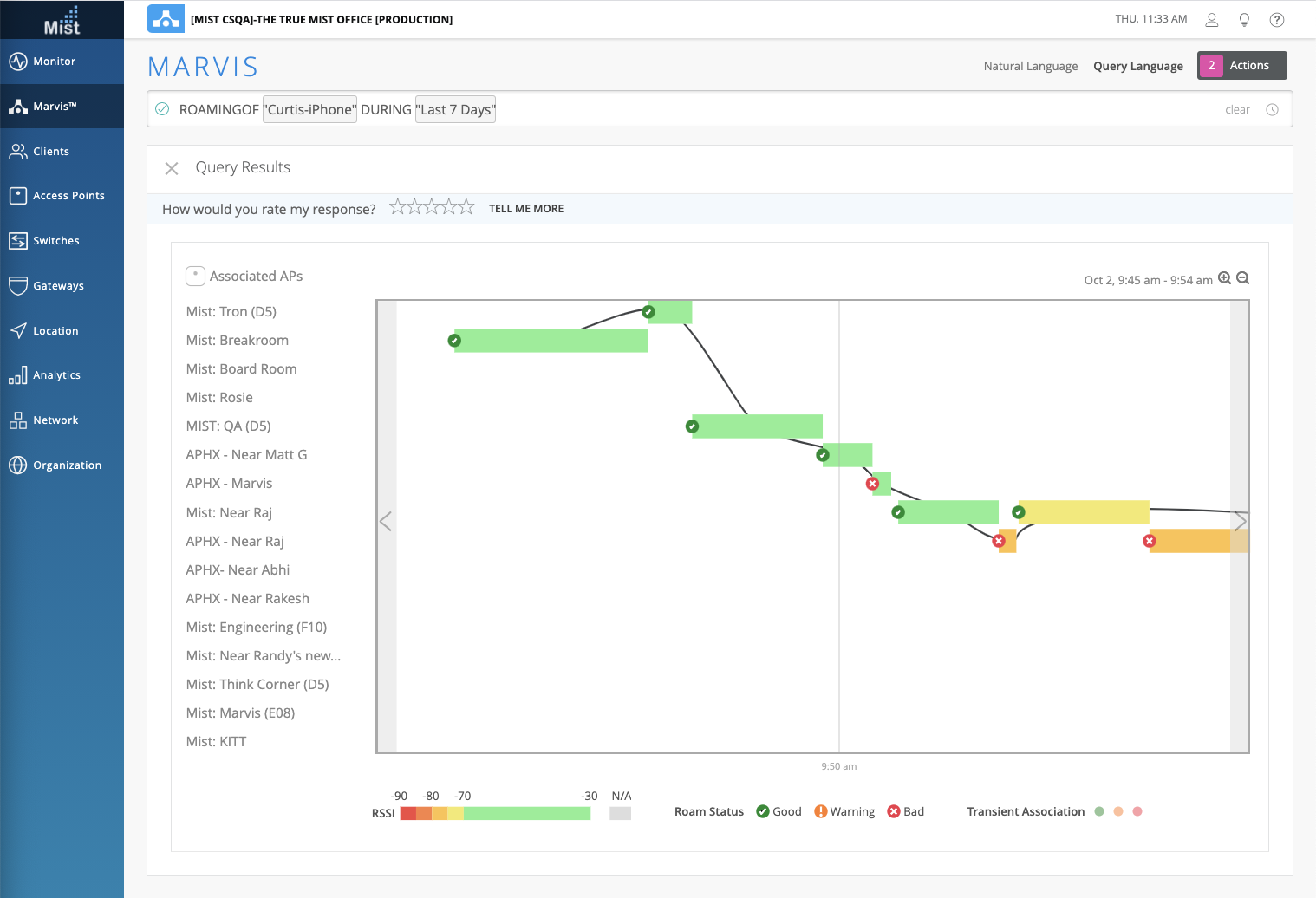
Marvis 会突出显示漫游状态、RSSI 值和转换等信息,以改进故障排除。在此屏幕截图中看到的点表示瞬态关联,这意味着设备与接入点关联的时间很短。
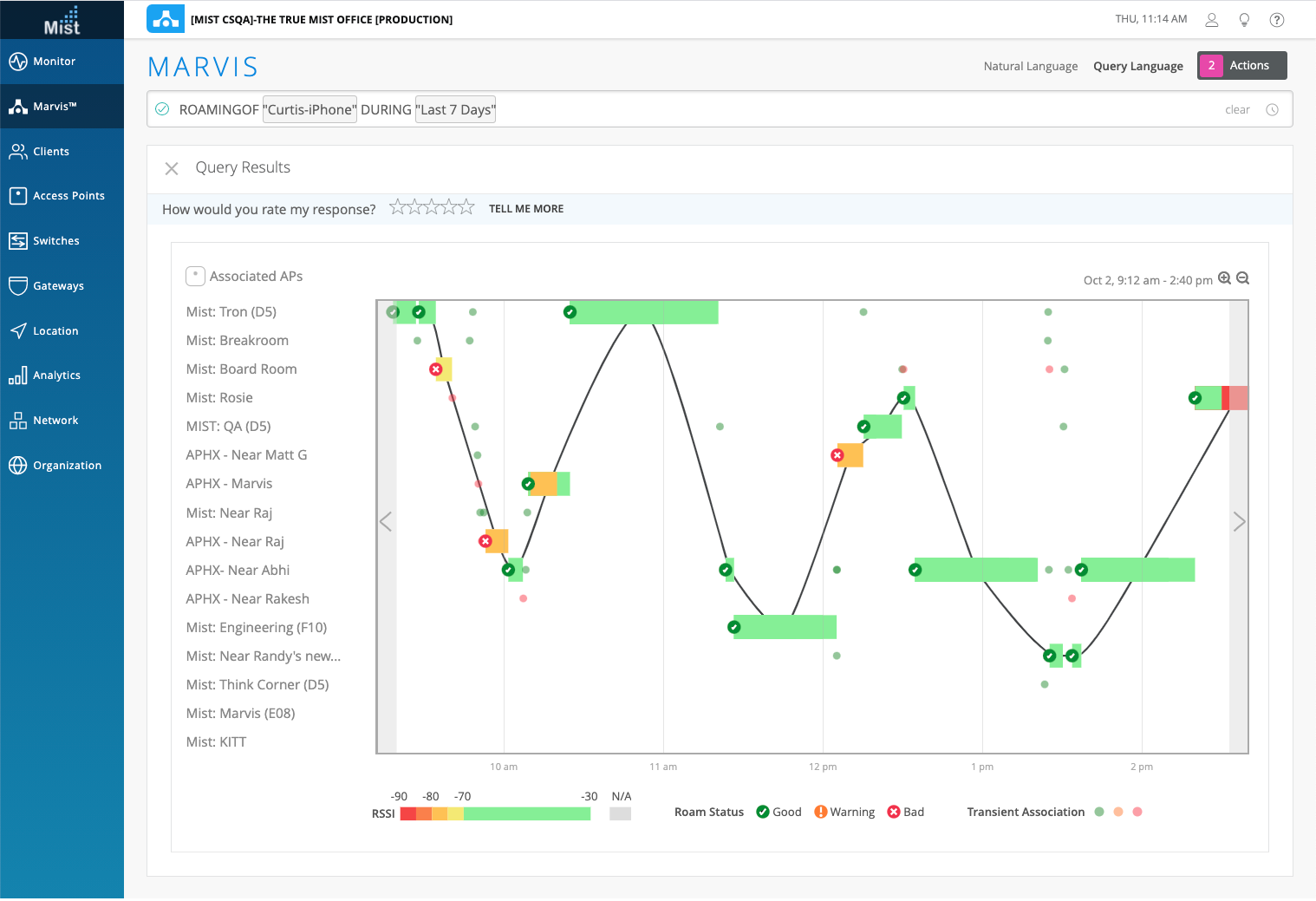
Network monitoring interface showing roaming performance of Curtis-iPhone over 7 days, including timeline graph with APs, signal strength legend, and navigation panel for diagnostics.

以下是上午 9:45 至 9:54 时间间隔内瞬态关联的放大视图。

Marvis interface showing roaming analysis for Curtis-iPhone over the last 7 days. Includes a graph with signal strengths and roaming events, access point list, RSSI legend, and navigation panel for network monitoring.

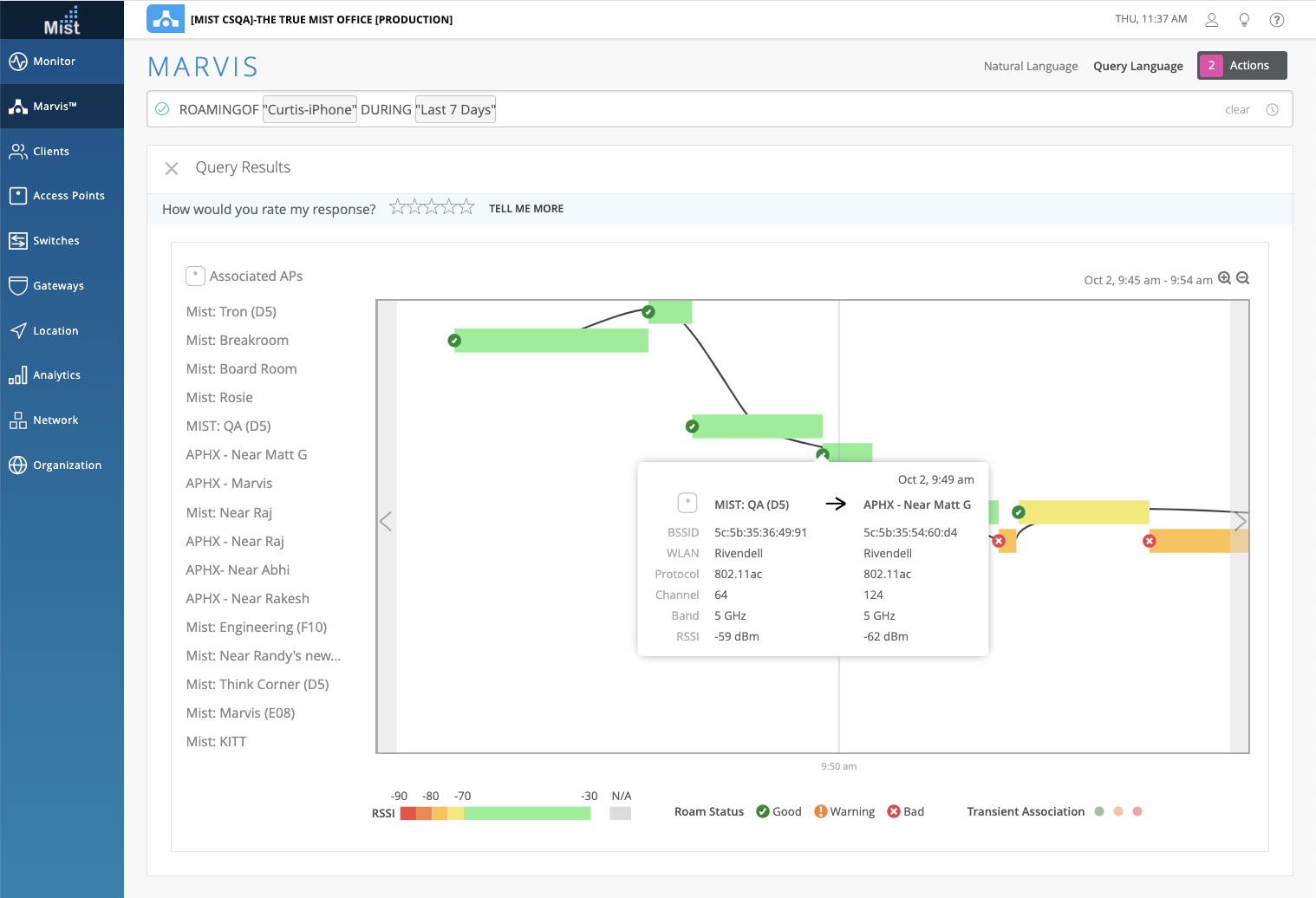
您可以将光标悬停在时间轴上的漫游状态图标上,以查看有关漫游事件的详细信息,例如 WLAN、通道、频段和 RSSI。在这里,您可以看到客户端在上午 9:49 在 AP 之间经历了一个良好的漫游事件。
Marvis interface screenshot showing Curtis-iPhone's 7-day roaming analysis. Timeline graph indicates signal strength and roaming between access points using color-coded bars. Access points list on the left. Tooltip details roaming event with source and destination APs, BSSID, WLAN, protocol, channel, band, RSSI, and timestamp. Navigation and filters for input and time range.

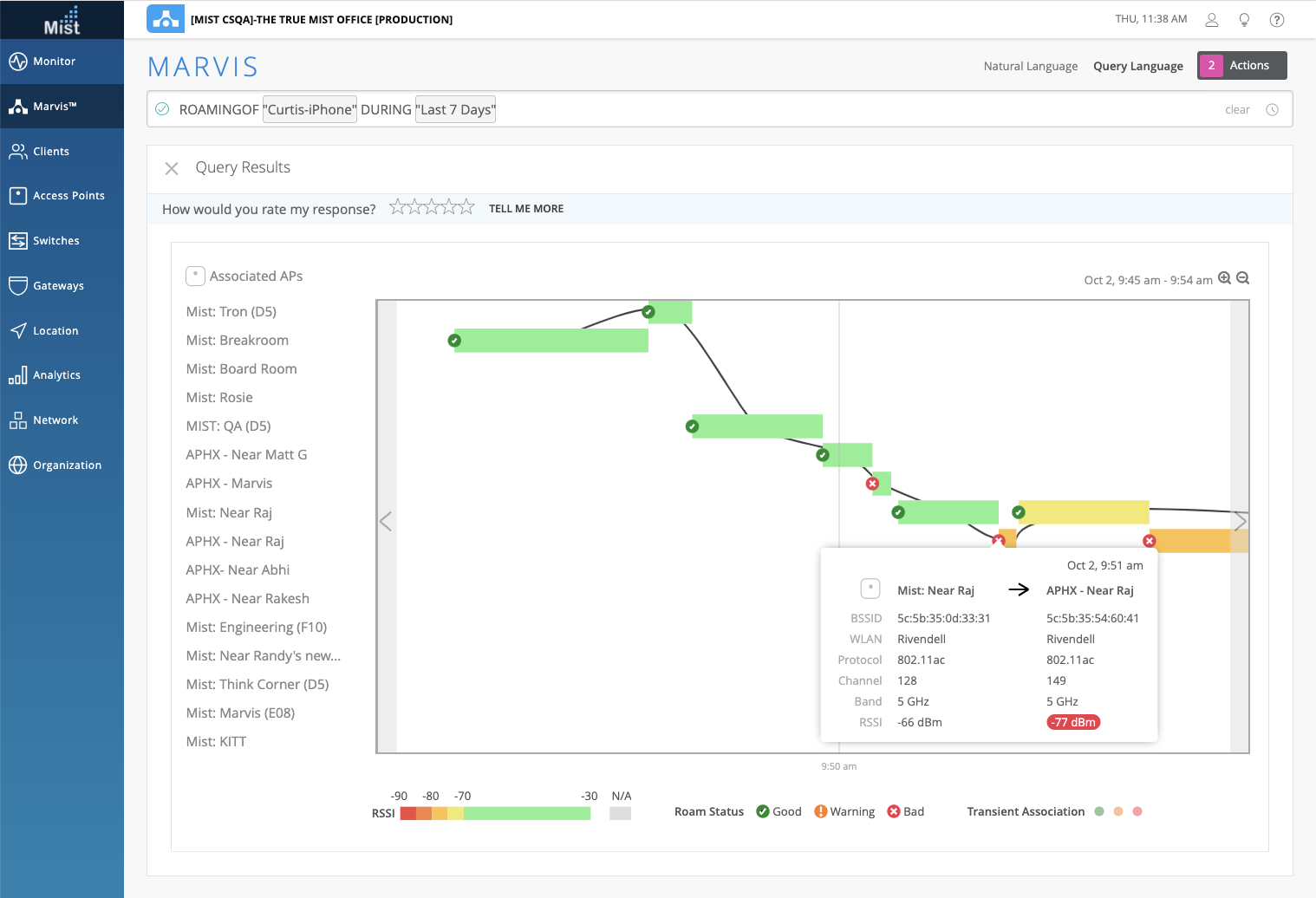
下面是一个错误漫游事件的示例。请注意,Marvis 会指示此事件的 RSSI 较低。
Network monitoring interface showing a device's Wi-Fi roaming analysis over 7 days with timeline graph, AP list, signal strength color codes, and roaming event details.

在以下屏幕截图中,您可以看到客户端在漫游时从 5 GHz 无线电频段切换到 2.4 GHz 频段。Marvis 将漫游状态显示为警告。
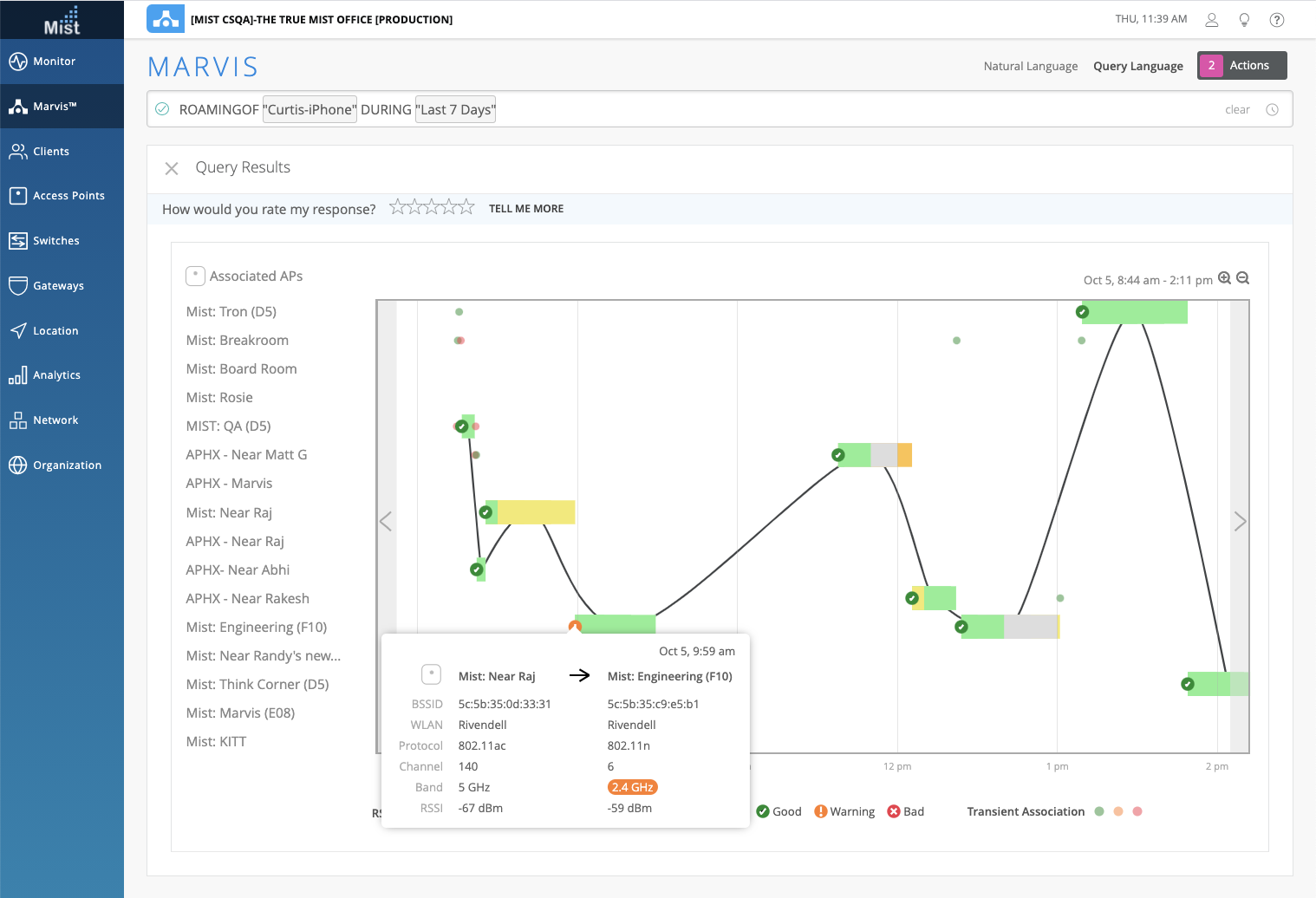
Screenshot of Mist Systems Marvis interface showing Curtis-iPhone roaming activity over 7 days with timeline graph, access points list, and detailed event tooltip.