第 1 层操作
使用操作仪表板解决第 1 层问题。
单击操作仪表板上的第 1 层按钮时,将显示所有可用的第 1 层操作。此类别当前包含两个操作:“电缆故障”和“光纤故障”。
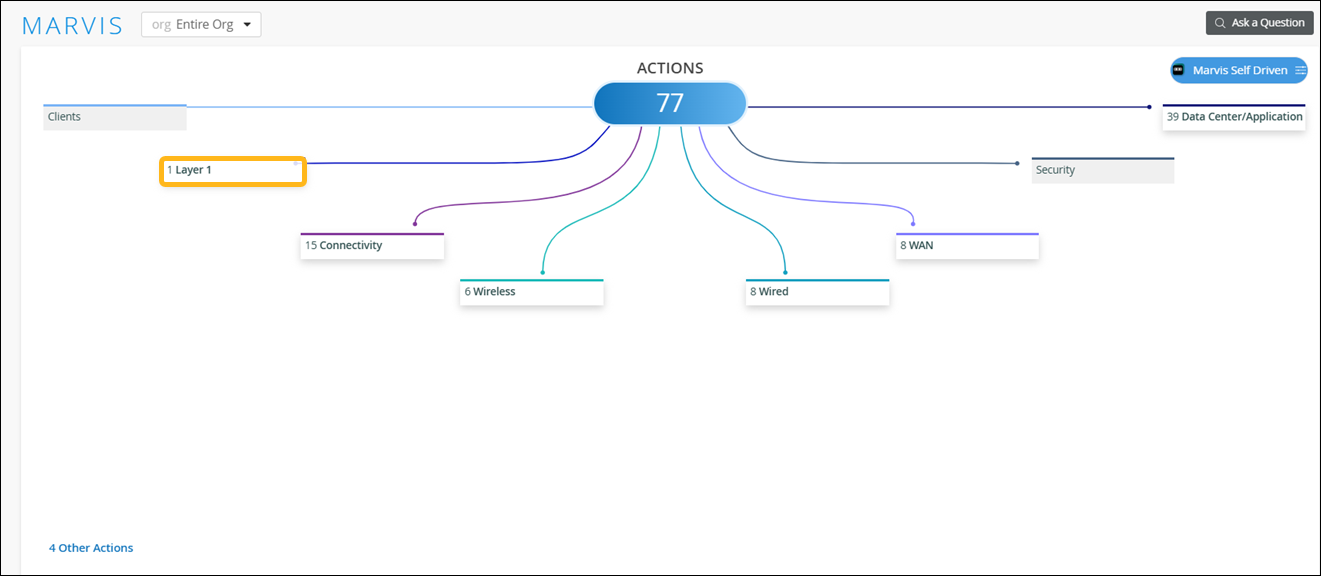
订阅确定可以在“操作”仪表板上看到的操作。有关更多信息,请参阅 Marvis 操作的订阅要求。
电缆故障
Marvis 可以检测连接到接入点(接入点)、交换机或 WAN 边缘设备的故障电缆。
电缆故障是网络问题的根本原因之一,而网络问题表现为用户体验问题。手动识别有故障的电缆是一项艰巨且耗时的任务。Marvis 可以利用电缆数据(如帧错误、链路统计数据、链路错误和流量模式)轻松检测损坏的电缆。
电缆操作错误表示接入点、交换机和 WAN 边缘设备在站点上检测到的电缆问题。详细信息部分指示交换机、接入点或 WAN 边缘设备是否检测到问题。
Marvis 会监控频繁重启的接入点,以确定重启原因是否是电缆损坏。例如,如果一个接入点频繁重新启动,而连接到同一交换机的其他接入点没有重新启动,则可能表示电缆出现故障。
对于检测到的 WAN Edge 问题,您需要执行以下步骤:
-
确保链路两端的双工设置为全双工。
-
更换电缆以排除由于电缆有缺陷而导致的问题。
-
更改 SFP 并检查状态。
-
更改端口以排除任何 NIC 卡问题。
-
更改第 2 层设备(调制解调器或路由器)。
以下示例说明了该问题:
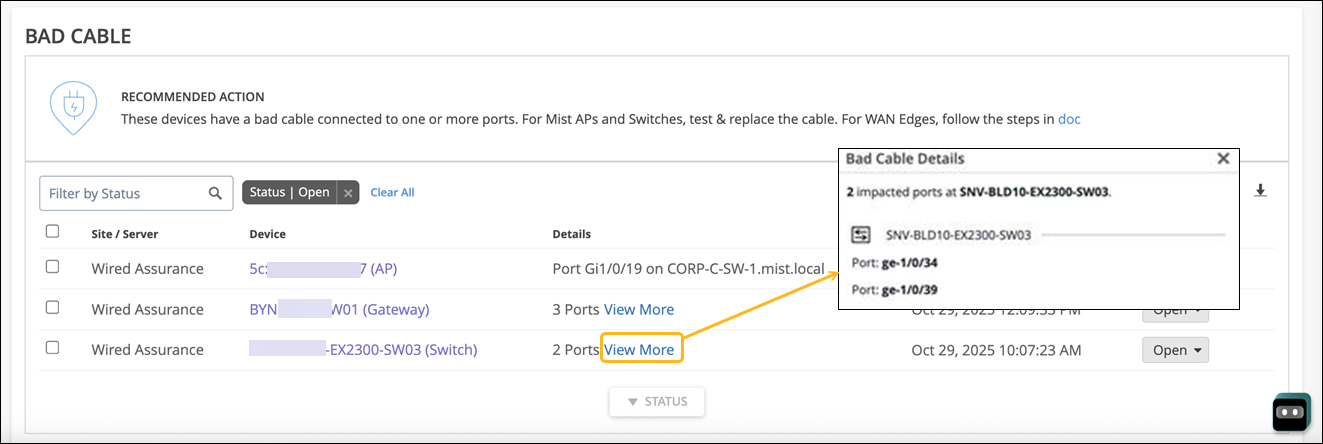
修复问题后,Mist AI 会在一段时间内监控接入点、交换机或 WAN 边缘,并确保电缆问题确实得到解决。因此,“电缆故障”操作最多可能需要 24 小时才能自动解决。
The next one in the list is under layer one called Bad Cable. This is specific to a cable to which an AP is connected to and thus is applicable for any and every 3rd party switch as well. What we are seeing here is this AP having a bad cable along with the port information on which it's connected to, and finally the switch as well. The uniqueness of this action is no net new traffic or active tests are run to determine a bad cable, and this is purely based on baselining and monitoring the AP health and the AP behavior since the time it came online.
光纤质量差
光纤电缆和收发器损坏、性能下降或无法正常运行,会严重影响网络性能、速度和可扩展性。物理损坏、磨损、使用错误的收发器或安装不当等问题可能会导致光纤故障。定期检查对于及时发现和修复有故障的光纤至关重要。通过利用交换机报告的事件和网络统计数据,Marvis 可以帮助及早发现光纤故障,从而快速解决问题并最大限度减少网络中断。
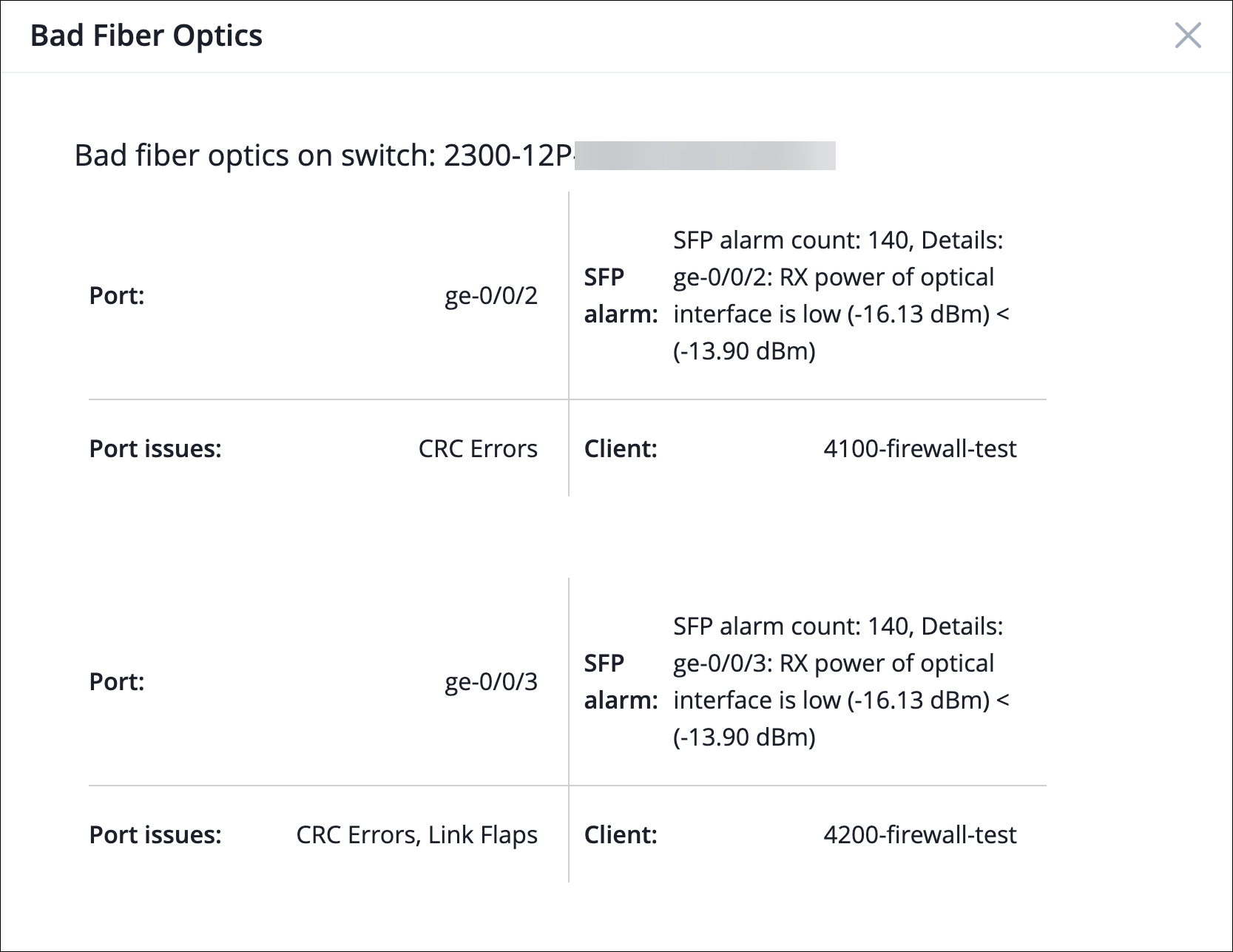
Marvis 可识别以下两种类型的问题:
-
电缆相关问题,包括 CRC 错误、链路抖动和数据包不匹配
-
光纤硬件问题由弱光报警指示
只有当上述两个问题在 2 小时窗口内在同一交换机端口上发生时,才会生成“光纤不良” Marvis 操作。
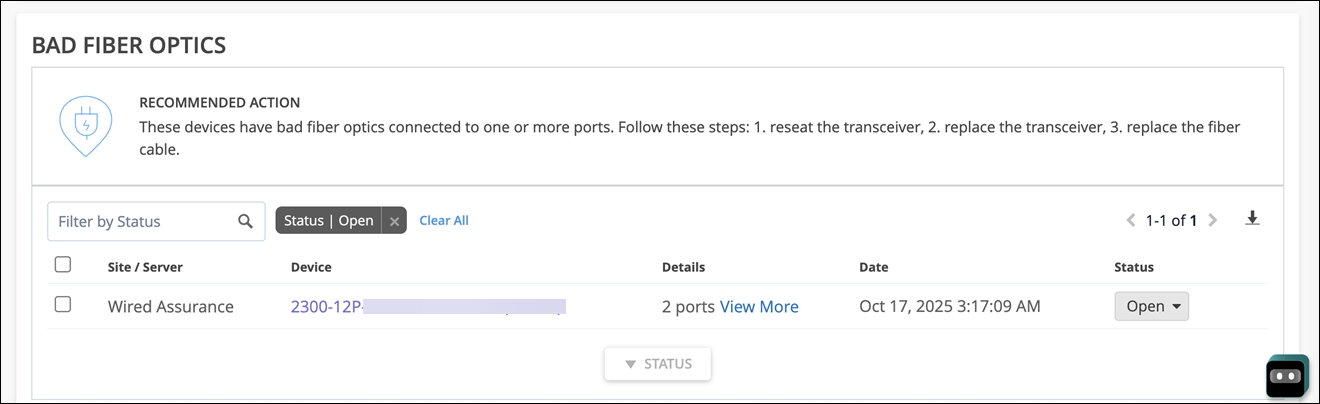
查看更多链接提供了有关此问题的更多详细信息:
当您看到列出了不良光纤 Marvis 操作时,请按照以下步骤操作:
-
重新拔插收发器 — 此过程包括从其端口中物理卸下收发器,然后重新插入。这是解决收发器安装不当引起的连接问题的快速有效的诊断步骤。
-
更换收发器 — 如果重新拔插仍无法解决问题,请评估是否需要更换收发器。
-
更换光缆 — 有时问题可能源于损坏的光缆,需要更换。